
Vietnam SIM vs eSIM: choose and set up mobile data
Compare local SIMs, operator eSIMs, global travel eSIMs and roaming, then configure the phone safely for data, calls and two-factor authentication.
11 minute read · Updated
How this guide is researched and reviewed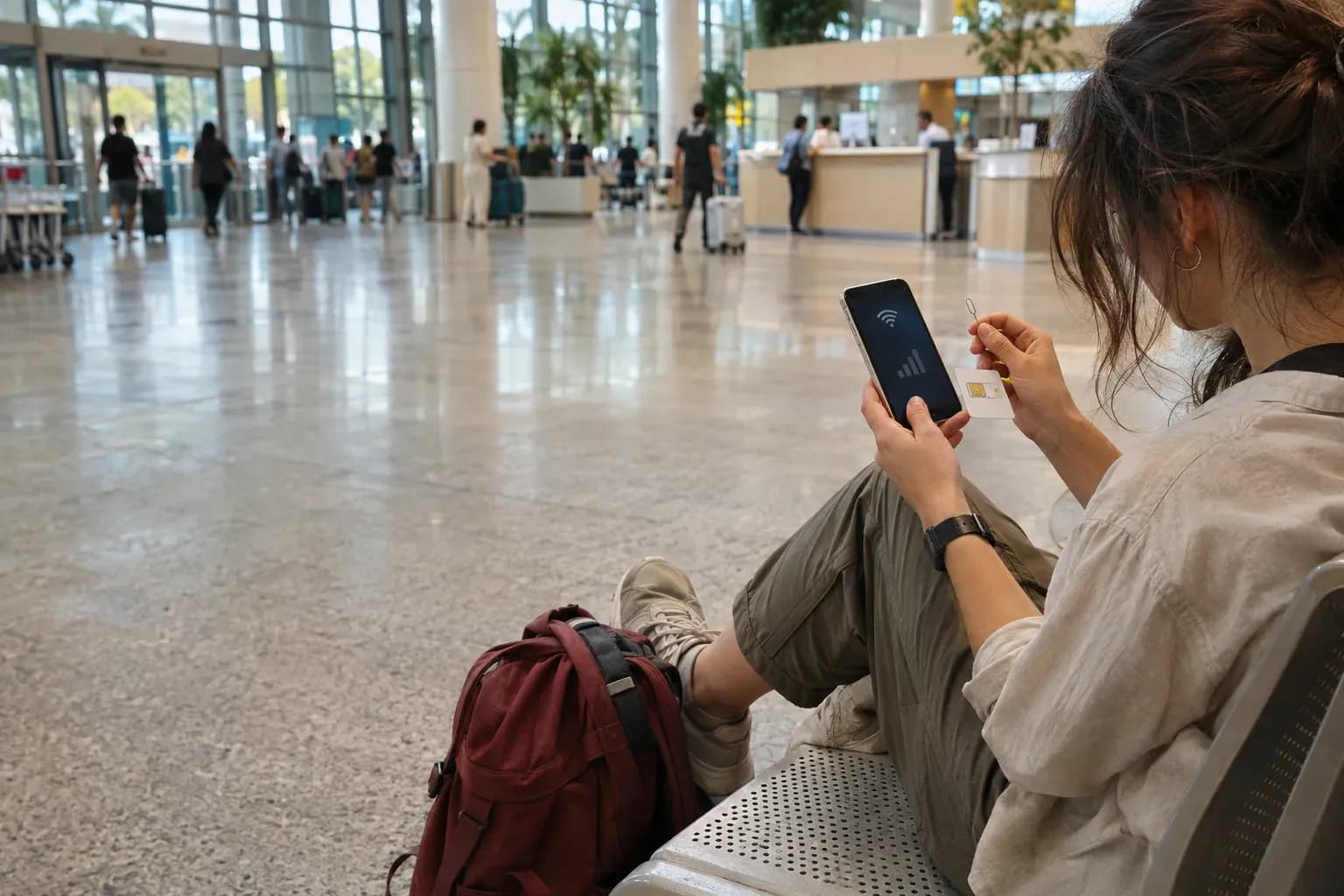
The phone must be unlocked and compatible with the exact SIM or eSIM product.
Official local tourist products may require passport identity verification.
Many global travel eSIMs are data-only and do not include Vietnamese calls or SMS.
Choose the travel data line deliberately and review data switching on dual-SIM phones.
Quick answer
Use an eSIM when your unlocked phone supports it and you want setup without swapping a card. Use a physical local SIM when you need staffed activation, a Vietnamese number or the handset lacks eSIM support. Compare the real network, validity, data policy, calls, hotspot support and top-up method—not only the word eSIM—and keep essential arrival information offline in case activation fails.
SIM, eSIM or roaming?
Choose by handset capability, support needs and whether a local number matters.
| Option | Best for | Advantages | Check before buying |
|---|---|---|---|
| Local physical SIM | Staffed setup or phones without eSIM | Local support and possible Vietnamese number | Registration, plan code, voice/SMS and safe storage for home SIM |
| Local operator eSIM | Unlocked compatible phones | Local product without swapping a card | Model support, identity registration and activation channel |
| Global travel eSIM | Pre-arrival data convenience | Install before travel; no store visit | Partner network, data-only limits, validity and hotspot policy |
| Home-carrier roaming | Short trips or managed phones | Keeps the familiar line with minimal setup | Daily charge, allowance, background data and billing cycle |
Operator packages and promotions change frequently. Verify the current offer on the provider's official channel.
In this guide
The short answer: choose the product that solves your failure case
Choose an eSIM when the phone is unlocked, compatible and you want data ready without swapping a card. Choose a physical local SIM when you want staffed setup, the handset lacks eSIM support or you need a product with a Vietnamese number. Keep home-carrier roaming when simplicity matters more than price or when a locked or managed phone prevents another plan.
The labels “SIM” and “eSIM” describe delivery technology, not automatically the network, coverage, speed, voice support or value. A local operator eSIM can behave like its physical SIM counterpart; a global travel eSIM may be data-only and use a partner network. Compare the actual product.
The best connection is the one you can activate, top up and troubleshoot without exposing your passport or losing access to your home number.
Check the phone before buying anything
Confirm the handset is carrier-unlocked. On a supported iPhone, Settings → General → About should show no SIM restrictions beside Carrier Lock.
Confirm the exact model supports eSIM in the country where it was purchased; regional versions can differ.
Check that the device can keep the home line and travel line active in the combination you expect.
Install pending system updates while you still have trusted Wi-Fi and time to recover the phone.
Write down the home carrier's roaming rules for incoming calls and SMS, including two-factor codes.
A corporate or financed phone may be locked even when it looks eSIM-capable. Only the carrier or device administrator can resolve that restriction. Do not discover it after paying for a non-refundable plan.
Compare three connectivity routes
Local operator SIM or eSIM
This is usually the clearest option when you want local network support, a Vietnamese number or a plan sold for visitors. Registration commonly requires passport identity verification. Buy through an official operator store, official airport counter or an operator's verified online channel, and keep the receipt or plan confirmation.
Global travel eSIM
A global travel eSIM can be installed before departure and is often data-only. It may be convenient for maps and messaging, but it may not provide a Vietnamese number, ordinary SMS or local voice calls. Check the underlying network, data allowance, fair-use policy, activation trigger and whether tethering is allowed.
Home-carrier roaming
Roaming preserves the familiar number and requires the least setup. It can be sensible for a short trip or a work-managed device, but daily passes and background data can be expensive. Confirm the exact country inclusion, allowance and billing cycle before landing.
Decide whether you need a Vietnamese number
Data is enough for maps, messaging, ride-hailing and most reservations. A local number becomes useful when an accommodation, tour operator or delivery service expects an ordinary domestic call or SMS. Do not assume a product includes voice simply because it is called a tourist SIM.
Data-only is often sufficient for travellers communicating through WhatsApp, Messenger, email or in-app support.
A local number is useful for ordinary calls, some local confirmations and people who cannot reach app-based messaging.
Keeping the home line active may be necessary for bank or account verification, but can create roaming charges if settings are wrong.
Emergency access should not depend on a single app, battery or cloud account.
Buy through a channel you can verify
Viettel documents tourist eSIM purchase at official airport kiosks and stores, with passport registration. MobiFone publishes a travel eSIM channel with identity verification and activation instructions. Plans, promotions, prices and eligibility change, so use the operator's current page rather than an old screenshot or marketplace listing.
At a staffed counter, ask the seller to show the operator name, plan code, validity, high-speed allowance, voice or SMS inclusion, top-up method and activation status. Do not hand over an unlocked phone and passport out of sight. At an online channel, confirm the domain and privacy information before uploading identity documents.
Operator and network used in Vietnam.
When validity starts: purchase, installation, activation or first network connection.
Total high-speed data and any daily cap or speed reduction.
Whether hotspot or tethering is allowed.
Whether the plan includes a Vietnamese number, calls or SMS.
How to check balance, top up and contact support.
Install an eSIM while reliable Wi-Fi is available
An eSIM QR code is a credential, not a decorative receipt. Keep it private and do not post it in a shared album. Many activation codes are designed for limited or one-time use, so do not delete the profile casually after installation.
Connect to trusted Wi-Fi and keep the QR code visible on a second screen or printed page.
Add the eSIM from the phone's cellular or SIM settings and follow the operator instructions.
Label the new line “Vietnam” and the existing line “Home” so settings remain understandable.
Select the Vietnam line for mobile data when the plan should become active.
Turn off data roaming on the home line unless the home carrier explicitly requires and covers it.
Enable data roaming on the travel line only when that provider's instructions require it.
Test a web page, map and message before leaving the staffed counter or dependable Wi-Fi.
Apple notes that dual-SIM phones use one cellular data network at a time. Features such as cellular data switching can move data to another line, which is useful at home but risky when the other line has expensive roaming. Review the setting deliberately.
Install a physical SIM without losing the home SIM
Store the home SIM in a labelled holder, not loose in a passport or wallet seam. Photographing its serial is not a substitute for keeping it safe. If the phone uses a tray, power handling should follow the manufacturer instructions and the tray must close fully.
Ask the official seller to complete registration and demonstrate that mobile data works. Check the displayed network and keep the plan details. A signal icon alone does not prove the correct allowance has been activated.
Size the data plan around behaviour
Light use: messaging, maps, bookings and occasional browsing consume far less than daily video.
Moderate use: frequent maps, social uploads, ride-hailing and calls over data need a larger cushion.
Heavy use: tethering a laptop, cloud backup, video and automatic photo upload can exhaust a plan quickly.
Group travel: do not make one phone's hotspot the only connection for every traveller.
Download offline maps, tickets, hotel addresses and language notes before transfer days. Disable automatic app updates and cloud photo backup on cellular data. A smaller plan with clear top-up instructions can be safer than a large allowance with an unknown expiry rule.
Coverage changes with the route
A plan that works well in Hà Nội may still lose signal in mountains, caves, remote roads or offshore areas. Network coverage maps are planning tools, not guarantees inside every building or valley. Ask a local operator about the actual route when remote connectivity is important.
For a multi-region journey, add connectivity to the same route check used in the first-trip Vietnam guide and keep essential details offline.
Never let mobile signal become the only safety plan. Tell someone the route, carry the accommodation address, and follow local operator guidance for remote activities.
Keep accounts and two-factor authentication working
Changing the data line does not automatically move every account to the new number. Messaging apps may continue using the existing account, while banks can send verification to the home SIM. Test essential access before departure.
Save backup codes for critical accounts in a secure offline location.
Keep the home line available for SMS only if the roaming cost and phone settings are understood.
Do not change the registered number of important accounts merely for a short trip.
Protect eSIM QR codes, passport images and operator account credentials as sensitive data.
Troubleshoot in a safe order
Confirm airplane mode is off and the intended travel line is enabled.
Confirm the travel line—not the home line—is selected for cellular data.
Check the provider's instruction for data roaming and APN settings.
Restart the phone and allow time for network registration.
Check the plan's activation status, balance, validity and high-speed allowance.
Use manual network selection only when the provider instructs it.
Contact the official provider before deleting the eSIM profile or resetting network settings.
If setup fails at the airport, use official Wi-Fi cautiously, avoid entering banking credentials on an untrusted captive portal, and move to a staffed operator counter. An offline hotel address and transport plan prevent a connectivity problem from becoming an arrival problem.
Set up the first 24 hours
Before leaving arrivals, confirm that maps can find the first accommodation, a message can be sent, and the phone can display the booking offline. Then send the new local number to the people who need it, if the plan includes one.
Keep the purchase record until departure. Before the flight home, restore the intended data line, disable or remove the travel plan only when it is no longer needed, and verify the home line's roaming state.
Connectivity setup before leaving arrivals
- 01Confirm the handset is unlocked and supports the intended product.
- 02Choose whether data alone is enough or a Vietnamese number is required.
- 03Buy through an official operator or a provider whose network and terms are clear.
- 04Record validity, allowance, top-up method and support channel.
- 05Label the home and Vietnam lines clearly in phone settings.
- 06Select the intended data line and review roaming and data-switching settings.
- 07Test maps, messaging and tethering if needed while support is available.
- 08Download maps, bookings, hotel address and account backup codes for offline use.
Vietnam SIM and eSIM questions
Sources and review dates
Time-sensitive claims are checked against the linked source and receive a new review date before they remain public.
- Viettel tourist eSIM: purchase, registration and activationChecked
Viettel Telecom · Supports official-store and airport purchase, passport registration, QR activation and current tourist-plan considerations.
Review by - International Travel eSIMChecked
MobiFone · Supports MobiFone's current travel-eSIM registration, identity verification, activation and top-up workflow.
Review by - Use eSIM while travelling internationally with your iPhoneChecked
Apple Support · Supports device unlocking checks, dual-SIM behaviour, travel-eSIM setup and selection of the cellular data line on iPhone.
Review by
Read next
Continue with the decisions that most often follow this guide.

Vietnam airport arrival: immigration, bags and transfer
A step-by-step Vietnam airport arrival plan covering documents, immigration, baggage, customs, cash, connectivity, transfers and domestic connections.

Money in Vietnam: cash, cards, ATMs and exchange
A practical system for using Vietnamese dong, cards and ATMs, avoiding unwanted conversion, protecting backups and recovering from payment problems.

What to book before Vietnam—and what to leave flexible
A practical booking timeline for entry documents, insurance, transport, accommodation, arrival setup and the decisions best left until Vietnam.